Outlook 2011 for Mac: Import a Windows PST file
Most of the time, I use the Apple iMac in our living room. I switched to Mac OS X a year and a half ago, but I still need my Windows machines now and then for features I am missing. Microsoft released Office 2011 for Mac a couple of months ago, and I could not wait to download it.
I was eligible to get the software through Microsoft’s website and soon downloaded it. Microsoft listened to Office for Mac users and added a feature to import Windows PST files into Outlook 2011 for Mac. The process is simple, and today I finally imported my old mail archives.
Import the PST file
- Start Outlook 2011 for Mac.
- Go to File and click Import.
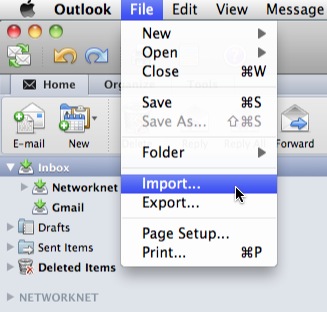
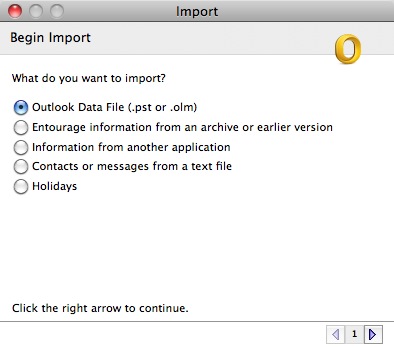
- Select Outlook Data File (pst or olm) and click the next arrow.
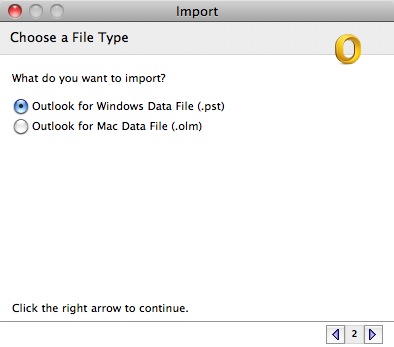
- Select Outlook for Windows Data File (.pst) and click the next arrow.
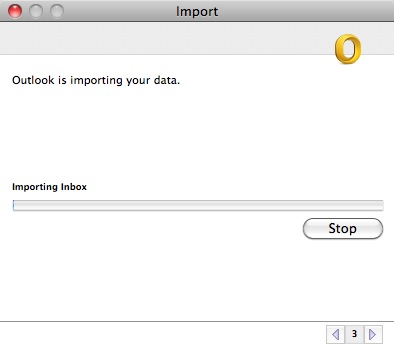
- Locate the PST file. Outlook will import it.
- Click Done to finish the import.
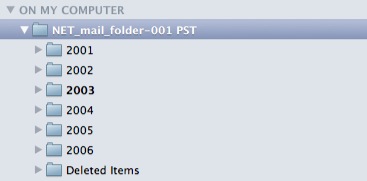
- The imported mail is now available under ON MY COMPUTER on the left side of the screen.
I stopped archiving mail in this folder structure in 2006. I can now read those old messages in Outlook 2011 for Mac. Thank you, Microsoft! As a Mac user, I appreciate this feature.
Related links
6 comments
Comments from the original WordPress site, kept read-only.
I did the same your instruction, but i only see name.pst file and cant see the emails anywhere in outlook 2011 mac. could you please help?
Does anyone know how you assisn mail account after this is done. As it stands you have your mail locally but it is not updated. If you create a mail account you cannot move folders/maill etc to this account
Hello,
I have outlook for windows and for mac. I have imported a pst file into outlook for mac. All the emails were imported, however, some folders did not imported correct and the emails were stores in a folder called recovered emails.
Does anybody know how do I keep the same folder structure and why outlook for mac change the folder for some emails?
thanks
I did as intruction but I only saw .PST file and I can not see email in outlook for Mac. Could you pls help.
Many thanks
Hi, I imported .pst file to outlook 2011 for MAC, the pst name is there, folders are there, but some of the emails were missing. Could you please help to give me a solution? Thanks a lot!
i am using ms office 2010 in mac could you please help me to find out the location of pst files in that.