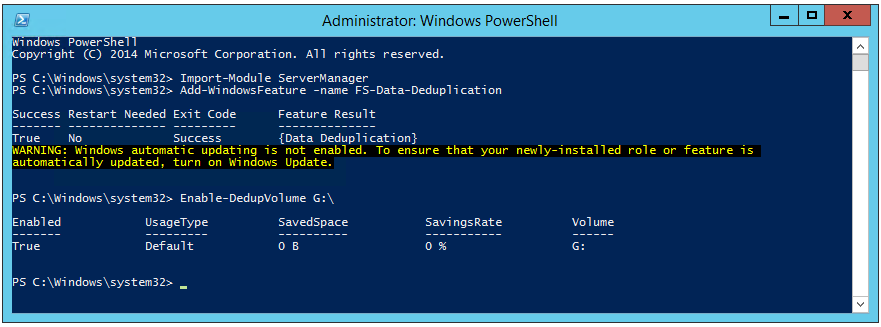
Deduplication reduces physical storage requirements. Windows Server 2012 and Windows Server 2012 R2 can enable this feature on a data volume.
Data deduplication involves finding and removing duplication within data without compromising its fidelity or integrity. The goal is to store more data in less space by segmenting files into small variable-sized chunks (32–128 KB), identifying duplicate chunks, and maintaining a single copy of each chunk. Redundant copies of the chunk are replaced by a reference to the single copy. The chunks are compressed and then organized into special container files in the System Volume Information folder.
After testing the feature, I plan to enable it on all file servers in my server refresh project. Part of the migration is to create an SCCM program or task sequence that runs after each server has been migrated.
I have already seen a 30–40% reduction on a production file server. Today, I enabled deduplication on my SCCM server so I can store more installation images without expanding the storage at the private cloud provider.