PowerShell: Enable Remote Desktop
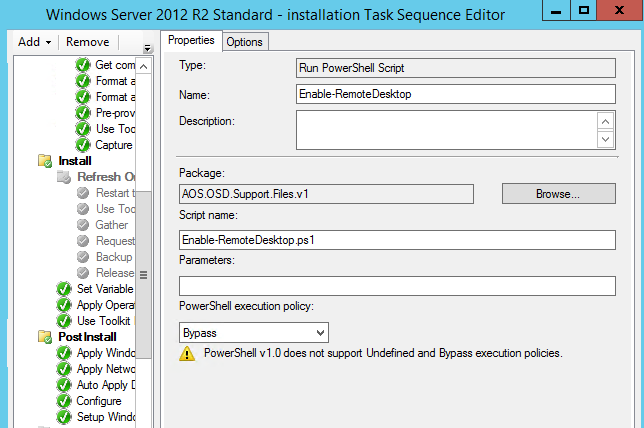
I am creating an SCCM task sequence to deploy a Windows Server 2012 R2 image. The task sequence has completed and loaded the image, and I want to connect with my RDP client. Remote Desktop needs to be enabled first, so the following PowerShell commands automate that configuration:
| |
3 comments
Comments from the original WordPress site, kept read-only.
Hi IVAN,
What stage I should apply this Powershell Task sequence , is it after apply operating system ?
Thank you.
Hello Raed, yes. After wim has been applied
Whether this can be applied for Windows 10 OS deployment.
Can you please be specific about where to keep the powershell script task sequence in the Windows OS deployment task sequence.