Windows Server 2003: Domain logon failure after cloning VMs
Today I configured a new VMware team with a domain controller and a file server. I used my Windows Server 2003 Enterprise Edition R2 master image, and both images ran sysprep.exe. After configuring the domain controller for Active Directory and DNS, I joined the second guest to the domain. The join succeeded.
After restarting, I tried signing in with a domain account and then with the domain administrator account. Both produced this logon message:
The system cannot log you on due the following error:
The name or security ID (SID) of the domain specified is inconsistent with the trust information for that domain.
Please try again or consult your system administrator.
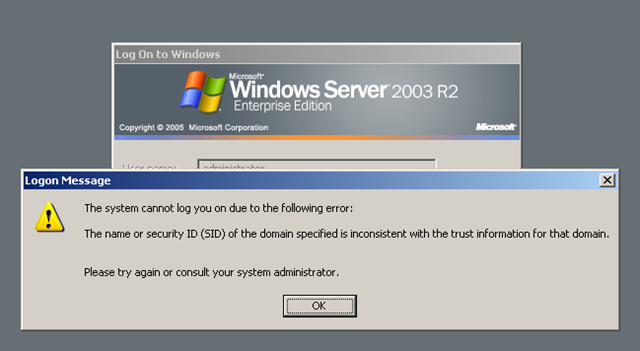
I signed in with the local administrator account and found the Netlogon error with event ID 5516 shown below.
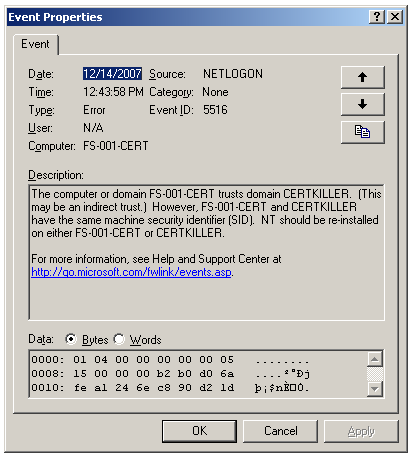
For some reason, sysprep had not worked on my master image, and both virtual guests had the same SID.
Compare the SIDs
Download psgetsid.exe from Microsoft to check both SIDs.
http://www.microsoft.com/technet/sysinternals/utilities/psgetsid.mspx
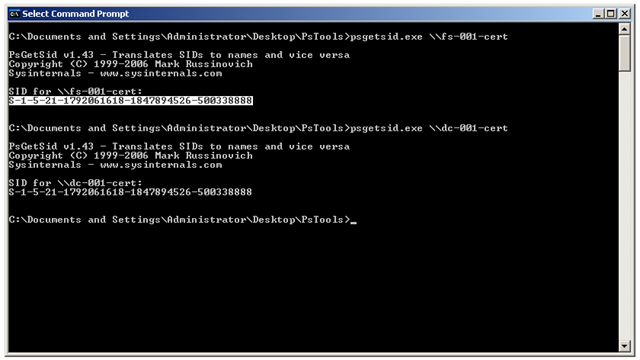
I downloaded pstools.zip from Microsoft and ran psgetsid.exe \\fs-001-cert and psgetsid.exe \\dc-001-cert. As shown below, both SIDs match.
Generate a new SID
The quick way to resolve this issue is to run NewSid.exe and generate a new SID for this computer account.
Download NewSid from Microsoft.
Run the tool and generate a new SID for the guest machine.
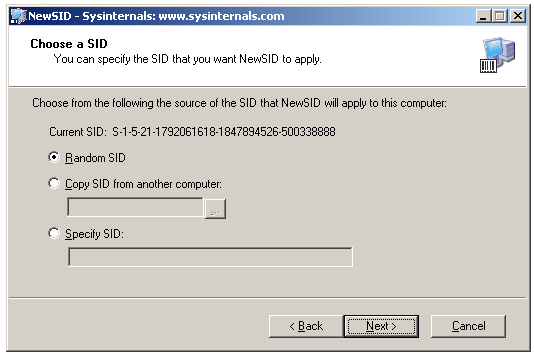
Click Next.
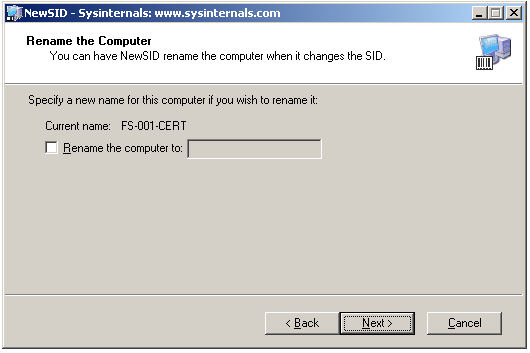
Click Next.
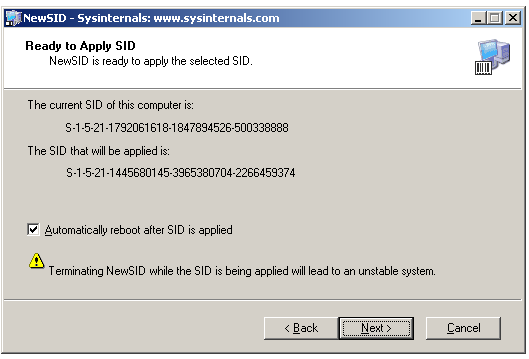
Click Next and restart the machine.
Rejoin the domain
- Sign in with the local administrator account and join a workgroup.
- Restart the guest and rejoin the domain.
If these steps are not completed, domain membership connectivity will fail.
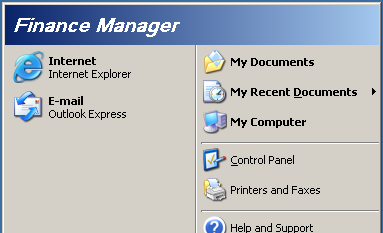
After restarting, I successfully signed in as my test user, "Finance Manager".
3 comments
Comments from the original WordPress site, kept read-only.
It was really a fantastic solution. I got this problem during microsoft sharepoint2007 configuration on vitual 2k3 server and now it has been resolved. Really thanks.
I am very much impressed with this solution. Thanks and Great appreciation.
The problem with the SID also appeared when I restored a Snapshot of a virtual machine.
Thank you for this solution, it really helped.