Office 365: Automatic sign-in for OneDrive for Business
I am working on a Windows 10 migration project and need the OneDrive for Business client to sign in automatically when a new user profile is created. Windows 10 1709 is our golden installation image for the global deployment. I have been working on different parts of the image over the past few months, and the OneDrive client is now fully integrated into the profile.
I want to automate more of the configuration, speed up profile creation and reduce the IT effort needed to deliver a computer to the user.
Prerequisites and policy
Adam Fowler's post on automatic OneDrive for Business sign-in helped me complete the remaining configuration. The prerequisites for my script were:
- An ADFS infrastructure.
- Matching user principal names (UPNs) in internal Active Directory and the cloud.
- Enabled Office 365 licenses.
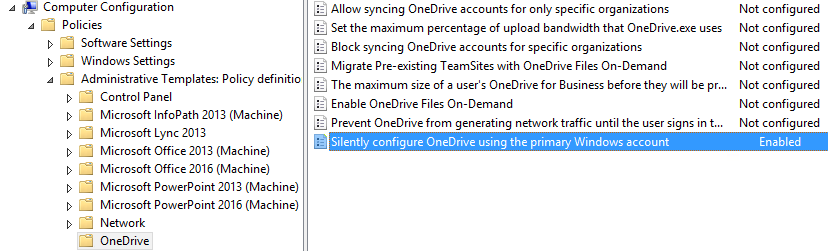
ADFS was in place, the UPNs were aligned and Office 365 licenses were enabled. I also had the "Silently configure OneDrive using the primary Windows account" policy enabled under Computer Configuration in Group Policy. What I was missing was the sequence to run the setup and enable modern authentication for OneDrive in the user profile (HKEY_CURRENT_USER).
OneDrive-Configuration.cmd
Create a CMD file with the following contents and add it to RunOnce. I use an SCCM task sequence to add the RunOnce entry to the default profile's registry and place the CMD file locally on the computer. The file can also be run manually or from a logon script.
| |
The script initializes OneDrive for the user, stops the running OneDrive.exe process, enables ADAL for modern authentication and starts OneDrive again.
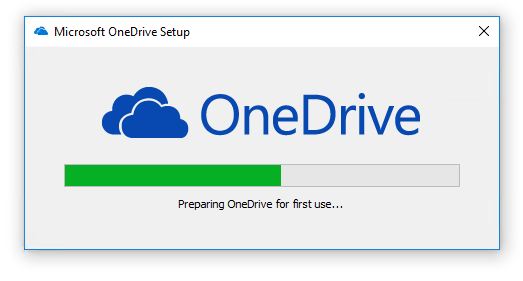
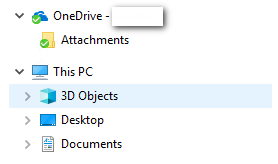
The result: OneDrive is configured and synchronized.
4 comments
Comments from the original WordPress site, kept read-only.
This is a nice solution but I just descovered a giant problem with this solution for Shared devices.
Every other user than the primary user gets the OneDrive of the Primary user of the device connected. This, as you can imagine, is a major issue.
So for shared devices this is something to think about when you configure this option.
Ps.: the option is now also available from the Administrative Templates (preview)
Now I am going to do my breakfast, after having my breakfast coming over aain to
read more news.
An impressive share! I have just forwarded this onto a friend who waas conducting a little homework on this.
And hee actually ordered me lunch becuse
I found it for him... lol. So allow me to reword this....
Thanks for the meal!! But yeah,thanx for
spending the time to talk about thhis subject here on your blog.
thanks for the post,
I tried the same exact method and itdidnt work for me.
does it need to be azure Ad?
ours is onprem.
any suggestion?
Regards