Exchange 2007: Install the antispam agents
My Outlook 2007 client filters email, but most spam still reaches my mailbox. When I use OWA, I have to filter it manually. The Networknet.nl domain has been online for seven years, and many spammers have added its email addresses to their lists. I receive 25–30 spam messages a day.
I am listening to 24 hours of Exchange 2007 podcasts in my car. Today, Harold Wong shared some tips in the thirteenth webcast session.
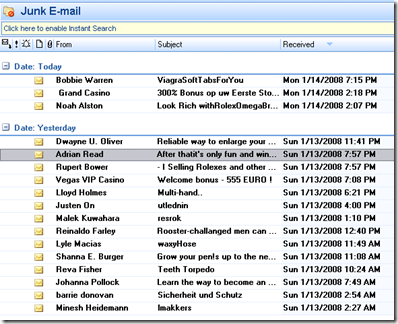
Screen clipping taken: 1/14/2008, 7:47 PM
One day’s spam in my mailbox.
Exchange 2007 antispam agents support the following out of the box:
1) Connection Filtering
2) Content Filtering
3) Sender ID
4) Sender Filter
5) Recipient Filter
6) Protocol Analysis
When enabled, these agents block most common spam at the Exchange 2007 Hub Transport level.
Install the antispam agents
The script is located at:
| |
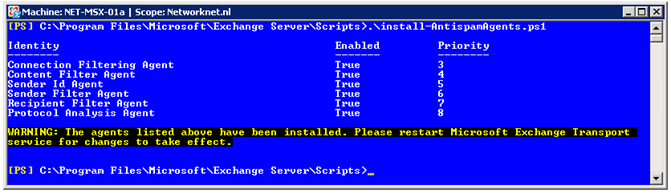
Open the Exchange Management Shell, go to that directory and run install-AntispamAgents.ps1.
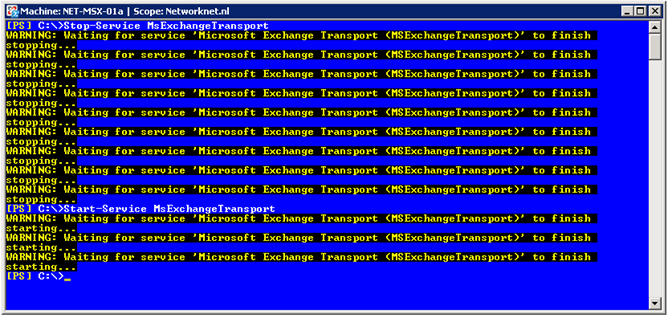
Stop and start the Microsoft Exchange Transport service by running Stop-Service MsExchangeTransport & Start-Service MsExchangeTransport.
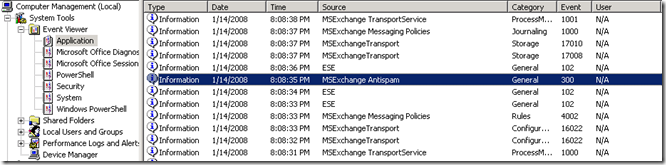
Check the Application event log. No errors or warnings should be displayed.
Open the Exchange Management Console and go to Organization Configuration / Hub Transport. A new Anti-Spam tab is now available.
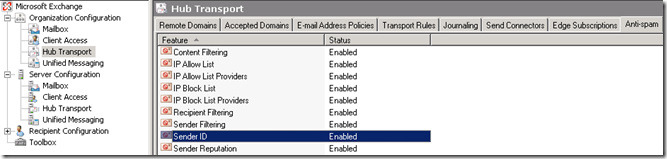
All features are enabled in my default configuration.