CactiEZ 0.30: Device Tracking Management save error
After installing CactiEZ 0.30, you may receive the following error when creating a new site or device in Device Tracking Management (the MacTrack plugin).
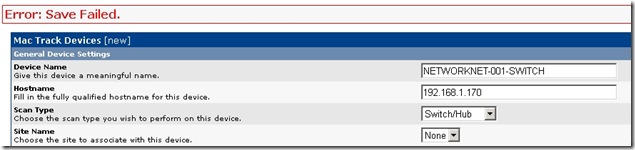
Error: save Failed.
Cacti generates this error because there are no tables in the Cacti database.
Sign in at the console or through an SSH shell and run the following commands:
cd /var/www/html/plugins/mactrack
php database_upgrade.php

I have a couple of other issues after scanning a Cisco switch, which I still need to follow up on the cactiusers.org forum. The device type list is empty in the newest version of CactiEZ, so you need to populate it yourself.
3 comments
Comments from the original WordPress site, kept read-only.
Thanks, I was able to get cacti working, but not the Mac Tracking/Site/Device sections. Much appreciated.
I need to know how Mac-track plug-in works? will you provide me some information or link?
Also, if there are no managed switches but only layer-3 device like router in network for small branches LAN , then does it mean that this MAC-Track plug -in is not at all useful in that case? can I not use only router's ARP table to track MAC-address, across branches?
thks a lot it is very usefull