Networknet archive Blog

Microsoft Office SharePoint Server 2007: ASP.NET 2.0 setup error

Originally published

While installing Microsoft Office SharePoint Server 2007, I encountered this error:
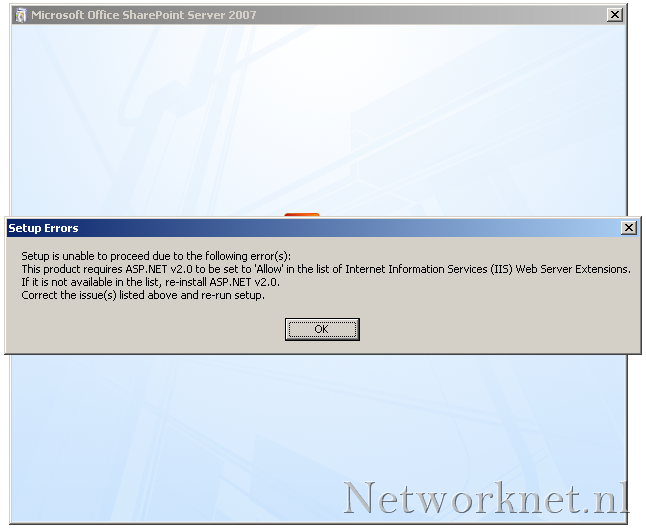
Setup Errors: Setup is unable to proceed due to the following error(s): This product requires ASP.NET v2.0 to be set to ‘Allow’ in the list of Internet Information Services (IIS) Web Server Extensions. If it is not available in the list, re-install ASP.NET v2.0.

image

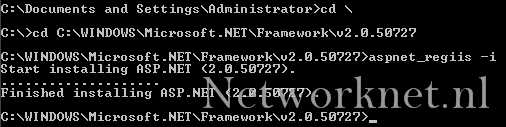
ASP.NET 2.0 was already installed before I started Setup. To fix the problem, open C:\WINDOWS\Microsoft.NET\Framework\v2.0.50727 and run:

Code1 line
1
aspnet_regiis -i

image

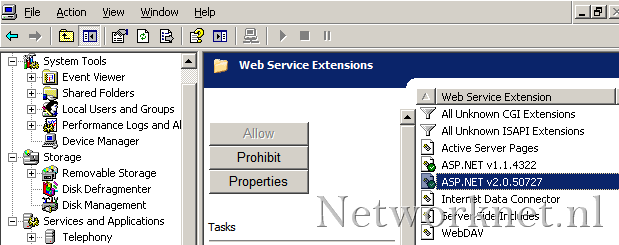
Verify the extensions in IIS Manager.
image