QNAP: Troubleshoot the SABnzbd+_0.4.11 QPKG installation
My LAN IP addresses recently changed, so I needed to give my QNAP TS-109 NAS a new IP address. After that, I could no longer open the SABnzbd+ web interface on TCP port 8800. The Qdownload folder and sabnzb subfolder still worked when I supplied an NZB file. The SABnzbd+ daemon was working, but I could not use the GUI.
After learning that QNAP had released its v3 firmware, I downloaded and installed it on my NAS. A new SABnzbd+_0.4.11 QPKG package was also available. I downloaded it, hoping that installing the plug-in would solve my problem.
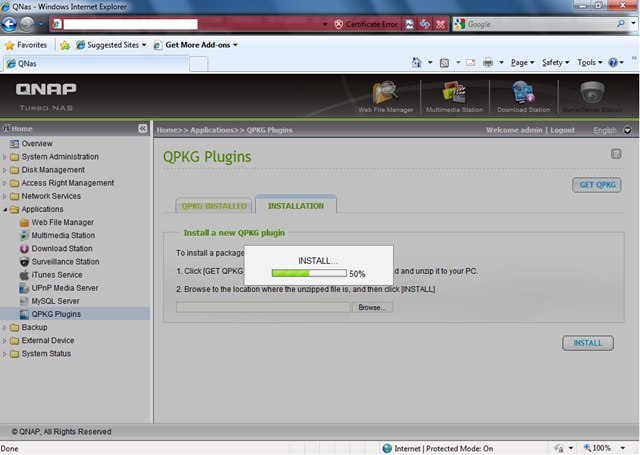
As the screenshot shows, installation of the SABnzbd+_0.4.11 QPKG package hung at 50%. I rebooted the NAS, disabled SABnzbd+, rebooted again, removed the Python package and reinstalled Python and SABnzbd+_0.4.11. Nothing helped. I also renamed the file as suggested in the support forums and tried IE7 on Windows XP, but installation still stopped at 50%.
I then found a post suggesting that the SABnzbd+_0.4.11 package might have a bug and recommending an earlier version. That is what I tried.
I also found instructions for installing the SABnzbd+_0.4.11.qpkg package without the web interface. Use putty.exe or ssh on Mac/Linux to log in over SSH on port 22. Go to the share where you stored the package and run it:
| |
That installation failed. Make sure the IPKG QPKG package is installed before running the following commands. Wget is needed to download the remote files (ipkg install wget).
Install version 0.4.9
Update, 2 November 2009: I corrected the link to version 0.4.9 and added the unzip step.
| |
SABnzbd+ was working again, and I could access its web interface on TCP port 8800. SABnzbd+_0.4.12 had been released without a QPKG package, so I could update it from the SSH shell:
| |
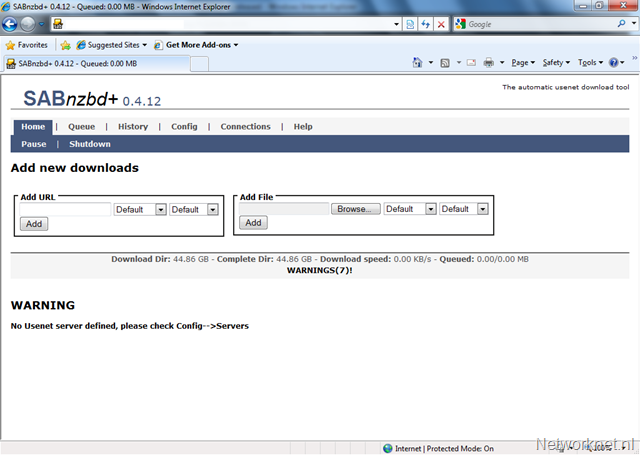
After two weeks without the GUI, I had found a way to get SABnzbd+ running with the latest version.
3 comments
Comments from the original WordPress site, kept read-only.
Hi,
I have the same problems like you and when I found your blog I was very happy.
But I have a problem: You wrote " sh SABnzbd+_0.4.9_TS-109.qpkg" but I have to unzip the file to get the qpkg file. When I do unzip I get the error massage you describe before.
What do I wrong?
Please help.
Thanks Bjoern
Hi Bjoern,
Today I reviewed my post and made an update on the 0.4.9 installation.
Please check and let me know the result. Thanks.
Hey!
I used your introduction for updating to 0.5rc.
Thank you for that.
I got an qnap nas 639-pro, however I needed to use md0_data instead of hda_data, just as a tip for other who get an error "no such directory".;)
But I have a problem: the buttons are not well (compiled? don't know what it's called). This is to say the buttons content is e.g. "#link-pause#" or "#link-sortByAge#"; I think the names given by the authors.
Maybe you have an advice. Thank you!:)