SharePoint: Create a table of contents from a document library
The document library
Consider a SharePoint “Document Library” with several subfolders, such as the structure below:
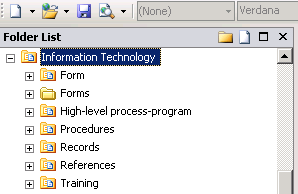
Each subfolder in the “Information Technology” library contains several documents. For example, the “Form” subfolder contains Word and PDF files. I needed to create a table of contents page showing these subfolders and their documents.
Start with a blank Web Part Page
I created a new page based on “Blank Web Part Page” and added the “Information Technology” document library. This showed all the folders.
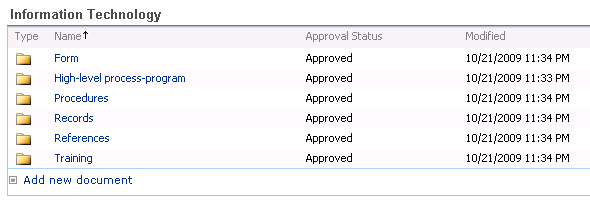
I could change the current view and set the “Folders” option to show all items without folders, but this did not solve my problem. I wanted to filter individual “Document Library” subfolders and their content.

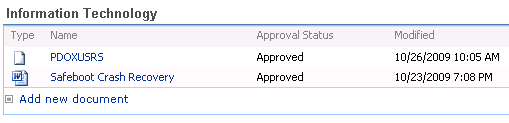
I tried the available options in the “Information Technology” web part, but none gave me the subfolder filter I wanted. I learned from Laura Rogers here how to insert a “Data View Web Part” and filter the content within a “Document Library”.
Filter with a Data View Web Part
- Create a new ASPX file and attach your master page (Format menu –> Master Page –> Attach Master Page..)
- Create new custom content for PlaceHolderMain.

- Drag your “Document Library” into the content area where you want to show it.

- Select the table, go to “Data Source Details” in the task pane and click the Current Data Source link.


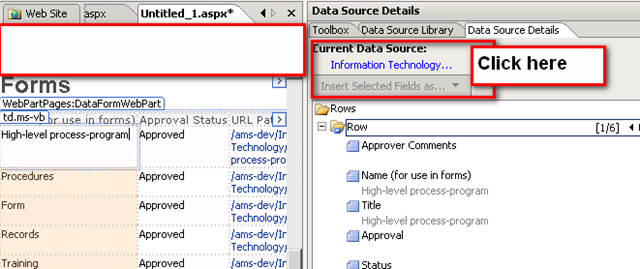
- Change the scope level to RecursiveAll.
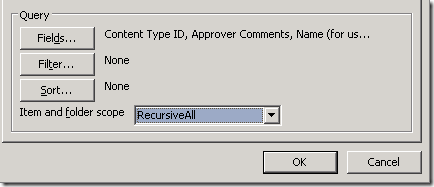
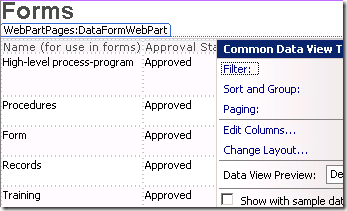
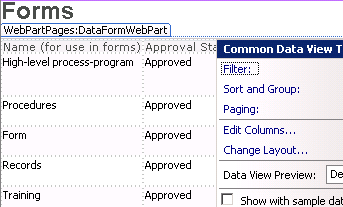
- All documents stored in this “Document Library” will now be shown. We can filter the path for specific SharePoint subfolders. Click the chevron of the data view and then click Filter.
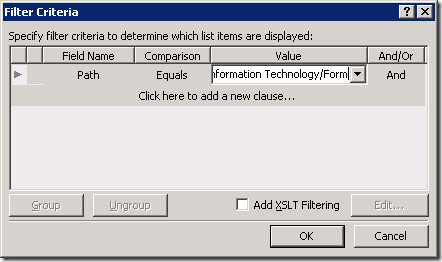
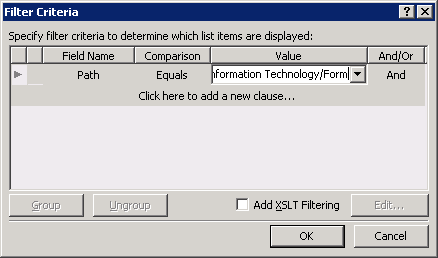
- The Filter Criteria window lets you set different criteria. Enter the subfolder you want to show: in my case, the Form folder.
- Save the ASPX file and check it out.
The result:
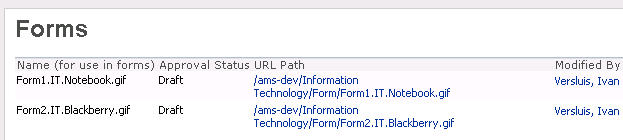
This is how I customized the Data View Web Part. You can change the columns and insert hyperlinks where needed.
9 comments
Comments from the original WordPress site, kept read-only.
Ivan: I used your technique today and it worked! Thank you for your help...
Tom
Ivan: One question: will the Table of Contents be automatically updated as new documents are added using your technique described above?
Ivan: another question: what does the RecursiveAll scope property do exactly?
Hi Tom,
Question 1: Yes it will. It is a view based on a document library.
Question 2: RevursiveAll means that it will search all subfolders created in a document library. Without this it will only see the reboot. I used this because I filtered based on path. If not enabled you won't see anything.
Ivan: I have shared documents and several lists within a sharepoint site and I want to list all the .doc and .pdf and .xls documents. I am getting the documents in the document library in my TOC. Is there a way or option to include attachments associated the the Lists?
Tom Hunter
Hi Tom,
I don't have all the details on your requirements but I think this could be achieved with a custom ASPX page. I have done similar thing on this post with a document library. Sharepoint list is comparable to a document library.
I don't have access to Sharepoint in the upcoming days but if you can't figure it out I can give it a try when in the office next week.
Ivan: thank you so very MUCH for the response. Does a WF that you have a timer delay in simply process and END after the delay is up or can you have it re-start itself so that it runs daily. I am trying to have a list reviewed daily by a work flow for certain dates to send emails. I am using two work flows that start each other until the each item in the list is revviewed. This is similar to a FOR/NEXT loop in visual basic etc. I got this technique off the Internet as well. The 2 looping workflows are working fine; but, the TIMER workflow delays for the proper amount of time (1 day) and then ends. I need to have it run each day.
Ivan: you can ignore my previous comment. I was able to debug and fix the looping wf with the timer delay.
However, I am still in need of an answer on TOC web part on March 14th. That is, how do I get certain file types from a site that has Shared Documents and Lists with attachments?
I have a problem. I inherited a table within a sharepoint site. I need to share a document from a folder within the site into the table. I can put the hyperlink which points to the document, but I rather "share" that document into the table. I want the process to be as "idiot proof" as possible. Any ideas?