Mac OS X: Connect Google Calendar to iCal with CalDAV
 I have used Google services beyond search for many years, and I enjoy finding out what they can do. Last night, I configured iCal on my MacBook Pro. Adding Google Calendar was easy, so I wanted to share the steps.
Calendaring Extensions to WebDAV, or CalDAV, is an Internet standard allowing a client to access scheduling information on a remote server. If your application supports CalDAV, you can connect it to Google Calendar.
Add Google Calendar to iCal
The following steps show how to set up an online calendar in iCal in less than five minutes.
- Open Apple iCal, go to Preferences and then the Accounts tab.
- Click on the + button to add an account.
- In the box that pops up, enter a description for the account and your Google Account username and password.
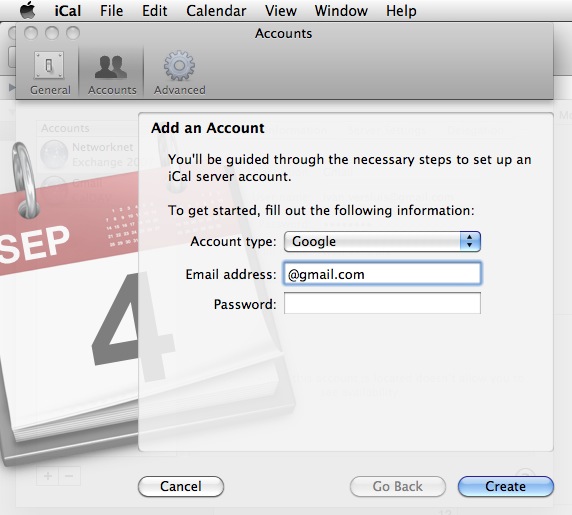
- You are done!
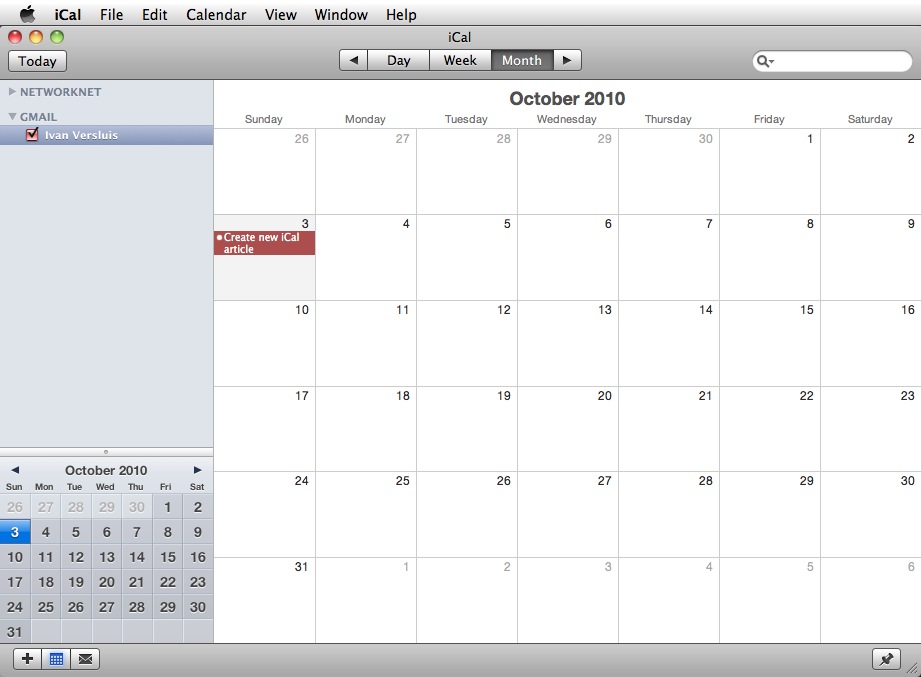
The main benefit for me is having my calendar available wherever I am and whichever device I use. You can explore more features at Google Calendar.