SCCM: Review client logs for a site published in Active Directory
If an SCCM site is published in Active Directory Domain Services (AD DS), a client will search for that information during the CCMSetup.exe process when no parameters have been specified. The following log files help verify that the client has been assigned to a site and is communicating with it.
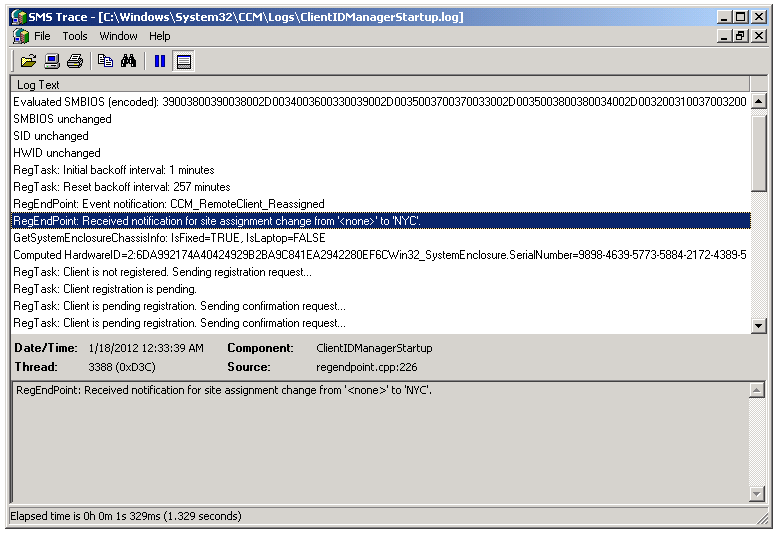
ClientIDManagerStartup.log
Open %WinDir%\System32\CCM\Logs\ClientIDManagerStartup.log in SMS Trace.
Search for Site Assignment. This entry tells you whether the SCCM client has been assigned to a site.
ClientLocation.log
Open %WinDir%\System32\CCM\Logs\ClientLocation.log and search for Assigning client to site. This entry indicates that the client has been assigned to the published SCCM site.
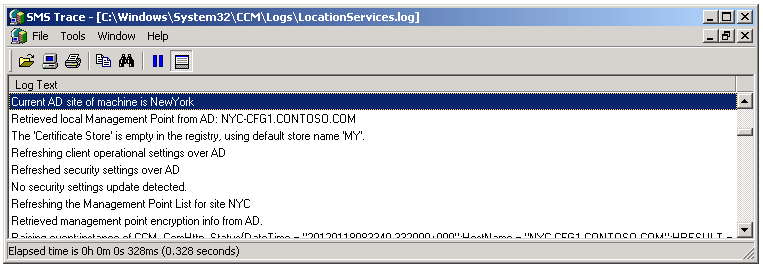
LocationServices.log
Open %WinDir%\System32\CCM\Logs\LocationServices.log and search for Current AD Site. This tells you that the client has discovered its management point through AD DS and assigned the SCCM site to its configuration.