SQL Server 2008 R2: Installation error 0x84B20001
I try to avoid in-place upgrades and prefer to start from scratch with operating system and application installations.
For a while, I had wanted to upgrade my development SQL Server 2005 installation. It had been running for three years on a Windows Server 2003 Enterprise 64-bit virtual machine.
The SQL Server 2008 R2 installation was mostly successful, but the SQL Server Agent service was not updated and failed to start. The Repair option did not fix it. I resolved that issue by locating the executable and changing the registry path to its new folder.
All databases were running, and the applications connecting to them worked. My next step was to install Cumulative Update package 2 (KB2072493) for SQL Server 2008 R2.
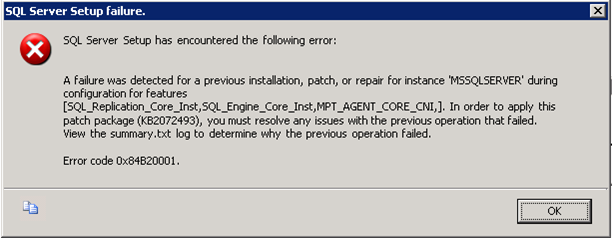
SQL Server Setup failure
After starting setup, I received this error:
Change the configuration state
Microsoft forum discussions and other posts pointed me to these entries under HKEY_LOCAL_MACHINE\SOFTWARE\Microsoft\Microsoft SQL Server\MSSQL10_50.MSSQLSERVER\ConfigurationState:
MPT_AGENT_CORE_CNISQL_Engine_Core_InstSQL_Replication_Core_Inst
All three REG_DWORD values were set to 3. I changed them to 1.

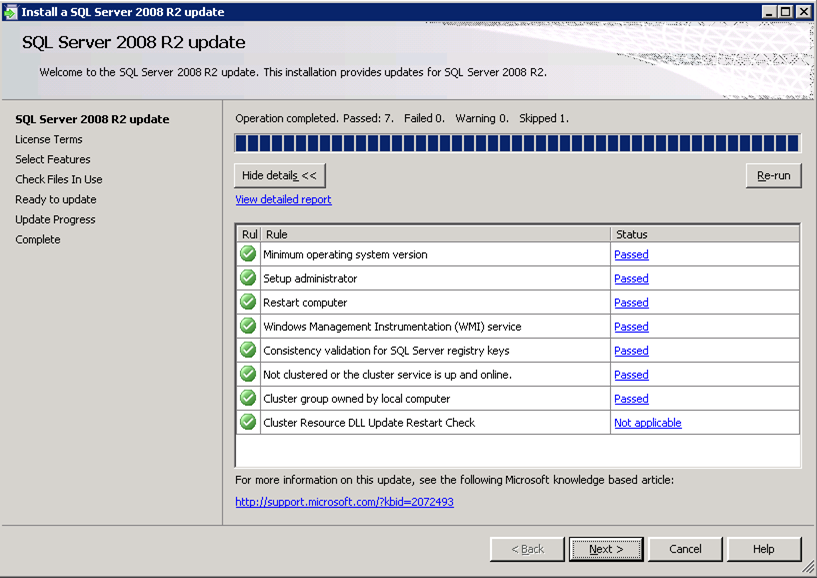
I ran the SQL Server 2008 R2 update again, and setup validation succeeded.
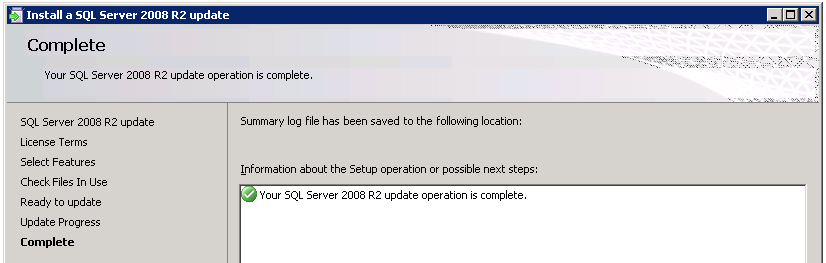
The result was “Your SQL Server 2008 R2 update operation is complete”.
I am not sure whether Microsoft supports this solution. It helped me bring my SQL Server 2008 R2 installation up to date.
Reference
4 comments
Comments from the original WordPress site, kept read-only.
It helps me lot thanks a ton save me from black night
I was facing the same issue while installing the missing patches for my SQL 2008 R2, the solution worked fine for me now its working. Thanks
Yup
Thanks alot
Worked like a charm :)
All the best
Thank you very much, solved my problem