Cisco AnyConnect VPN Client: Windows Security certificate selection
I recently deployed the Lync 2013 client. Soon afterwards, I started receiving the following pop-up message when connecting with Cisco AnyConnect VPN Client on Windows 7 Enterprise:
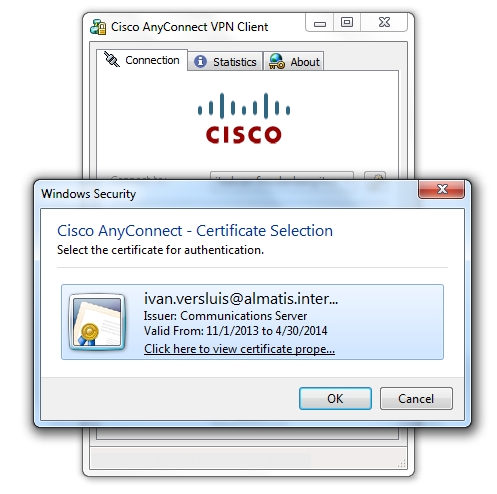
I deleted the certificate, but this did not solve the problem because the Lync client recreated it. After some research, I found a solution: modifying the connection profile XML.
Update the connection profile
Go to C:\ProgramData\Cisco\Cisco AnyConnect VPN Client\Profile, open the XML profile with Notepad or Notepad++, and change AutomaticCertSelection from false to true.
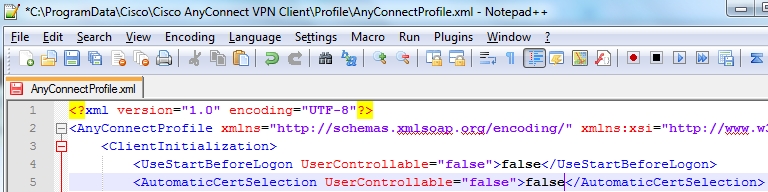
Save the file and try connecting with Cisco AnyConnect VPN Client again. The certificate selection will be suppressed.
Manually changing this file solved the problem for me. Future deployments of the Lync 2013 client will include the updated XML profile. For clients where Lync 2013 is already installed, a GPO preference will update the file, targeting only computers with Lync and the specific XML file.