SCCM: Uninstall the SCCM 2007 agent
I needed to uninstall the SCCM agent while troubleshooting a client that would not communicate with the primary server. Its computer object appeared in the SCCM console but was not recognized as a client. The agent had been installed locally.
I had installed the agent manually. I decided to uninstall it and try the installation again.
Uninstall the agent
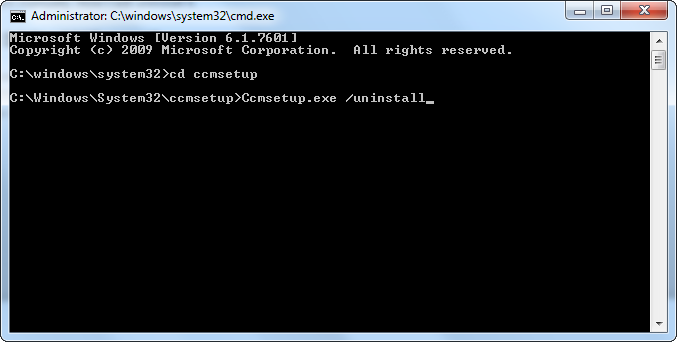
- Open an elevated command prompt (cmd.exe).
- Go to
C:\Windows\System32\ccmsetup. - Run
Ccmsetup.exe /uninstall.
Monitor the uninstall log
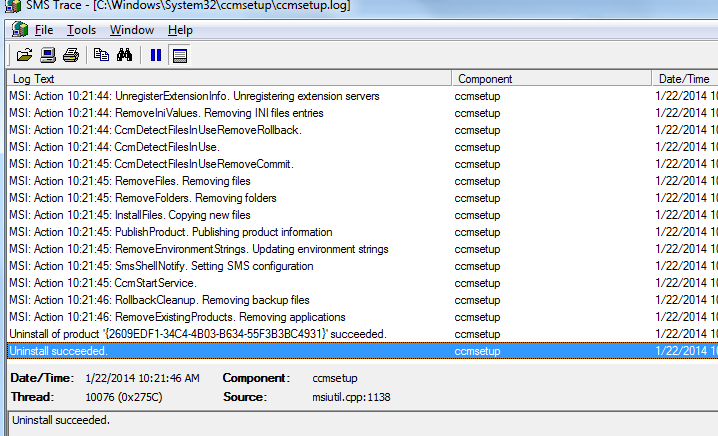
Use trace32.exe to watch C:\Windows\System32\ccmsetup\ccmsetup.log. The final line should read “Uninstall succeeded.”
Reinstall from the SCCM server
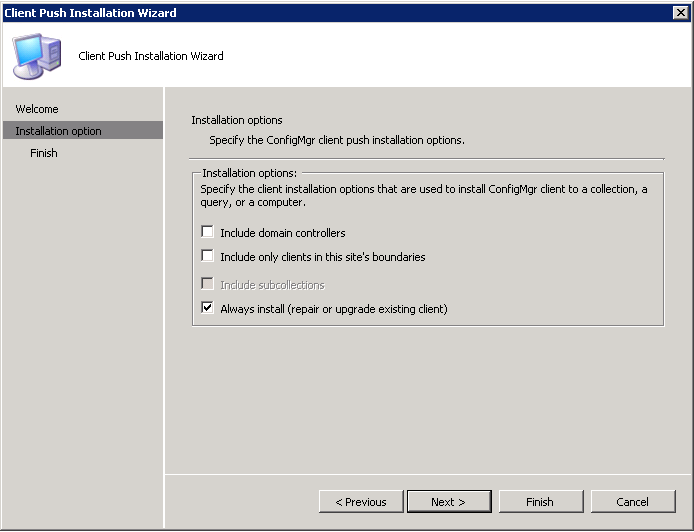
In the SCCM console, I started the Client Push Installation Wizard and selected “Always install (repair or upgrade existing client)”.
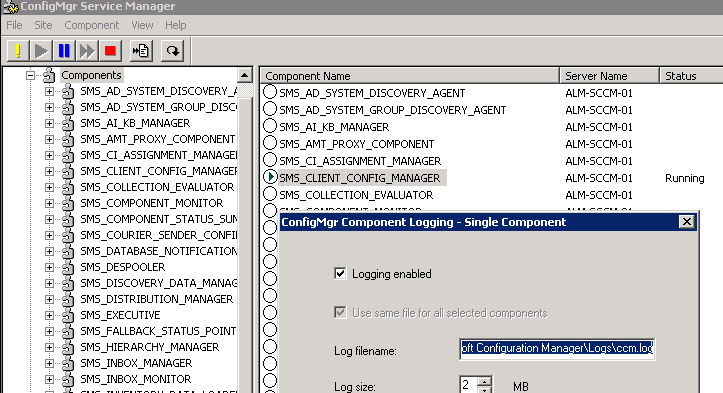
I monitored ccm.log on the SCCM server and saw that installation was working.
The client was communicating with the primary server again and was recognized as a client in SCCM.