McAfee: Web Gateway for Hyper-V – Part 2
After creating, installing and testing Web Gateway on Hyper-V in Part 1, I started planning a global deployment. The Hyper-V hosts were spread across multiple sites with a standardized AD site naming convention. I created a PowerShell script to automate the initial steps. With the SCCM agent installed on every host, I could use SCCM to deploy the ISO file and create the VMs for the migration.
The script builds on Part 1 and performs the following tasks:
- Reads the AD site to generate the VM name.
- Creates a VM based on the minimum Web Gateway requirements.
- Configures the network interfaces and assigns VLANs.
- Uses the host's global network settings to assign static MAC addresses.
- Starts the VM.
Create the Web Gateway appliance
| |
The script was saved as Create-NEW-MWG.ps1 in a shared folder accessible to SCCM. The next step was to create the SCCM components for deployment to the Hyper-V hosts.
Create the SCCM package
Create a folder on the server and copy Create-NEW-MWG.ps1 and the ISO file into it. These are the two package files:

Set the package's Data Source to that folder:
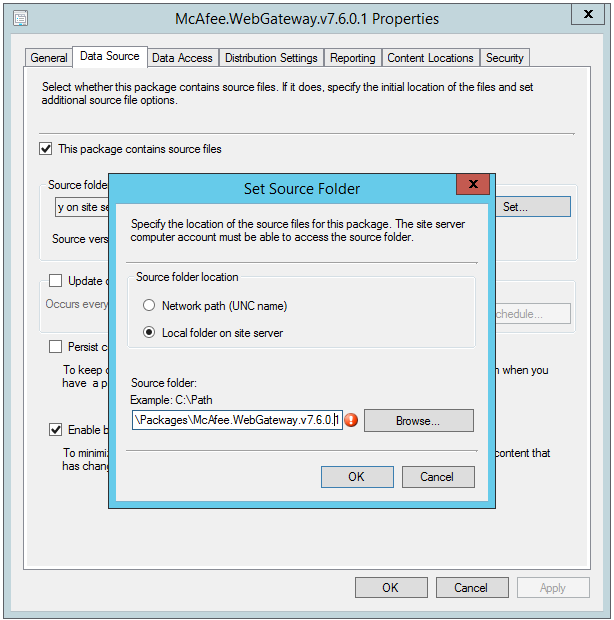
Create the SCCM task sequence
I created an operating system deployment task sequence with two steps: copy the ISO to the Web Gateway installation-source folder, then run the PowerShell script.
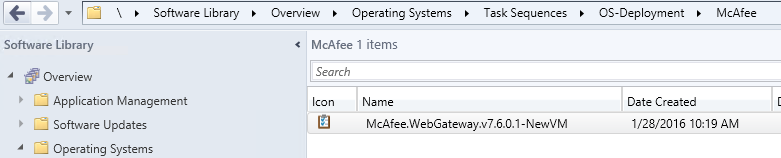
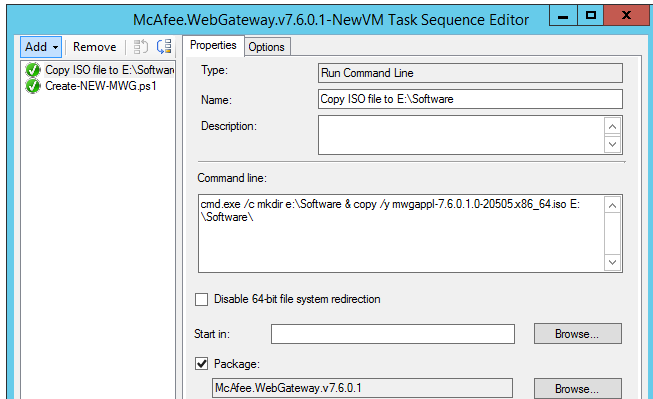
The copy step uses this command:
| |
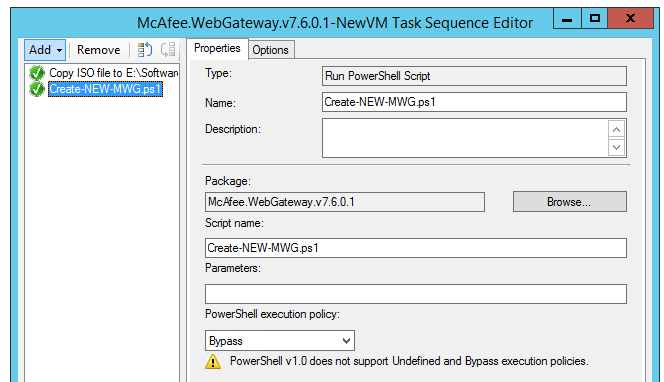
Add a PowerShell step to run the PS1 script:
The package was replicated to the remote distribution points. A collection of the target Hyper-V hosts was created, and a required deployment was added for the task sequence.
The deployment ran successfully, and SCCM and PowerShell created the remote VM appliances. I could reuse the script for future deployments.
In the next post, I will cover the migration and finish the Web Gateway deployment on Hyper-V.