
Exchange 2007: Autodiscover SSL certificate warning in Outlook
My Outlook 2007 client started displaying a Security Alert after I imported an SSL certificate into IIS. I had also imported my Active Directory Public SSL certificate onto my Samsung I600 to synchronize my Exchange mailbox securely.
Outlook displayed this warning:
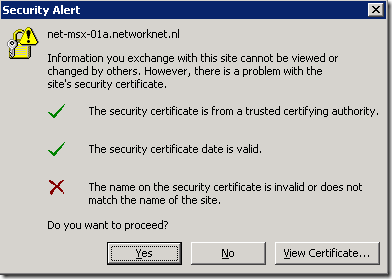
The message appeared twice each time I opened Outlook. I found a post on the MSExchange team blog that referred me to Knowledge Base article 940726.
Update the commands below with your new FQDN and server identity, then open the Exchange Management Shell and paste them.
| |
Restart IIS with iisreset, or recycle the MSExchangeAutodiscoverAppPool application pool if the server is used in production.
The Outlook 2007 warnings stopped in my Exchange 2007 test environment.
2 comments
Comments from the original WordPress site, kept read-only.
http://support.microsoft.com/kb/956955
Waardenaam: ExcludeHttpsAutodiscoverDomain
Waardetype: DWORD
Waardegegevens: 1
I just installed a Netgear FVS318N router on a companies network and now I'm getting the Security Alert message in Outlook 07 over 20 computers. Veiwed the cert and it is Netgear FVS318n.
Please someone help. I can't tell if it's a Netgear issue or MS Issue, but only pops up when Outlook is open?