SMS 2003: Shrink the SMS_SITENAME database
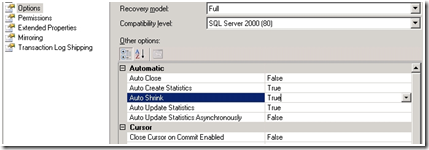
The SMS 2003 infrastructure I manage has one database, which had grown to 4 GB: 1 GB of data and 3 GB of logs. Today I scheduled database maintenance and managed to shrink the files. For future maintenance, open Enterprise Manager or the Microsoft SQL Server management tools and make sure the database option is set to Auto Shrink = Auto.
Run the following SQL script:
USE [SMS_123]
GO
DBCC SHRINKFILE (N'SMS_123_log', 0, TRUNCATEONLY)
GO
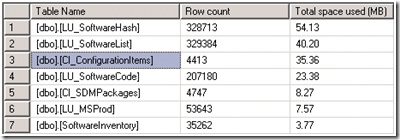
The sp_show_huge_tables script creates a stored procedure that shows each table's space usage, row count and MB used.
exec sp_show_huge_tables