Windows Vista SP1 is out
I have been waiting for the Windows Vista SP1 RTM ISO for a while. Last night, I downloaded the 3 GB file. Windows Vista SP1 was installed in a VMware Workstation virtual machine 30 minutes ago.
I have been preparing lab environments for different virtualization products. From now on, I am creating an Acronis True Image TIB archive before I start testing with a VMware guest.
As I mentioned before, I have MSDN subscriber license keys and downloads. The latest version of Vista is now running and ready for testing.
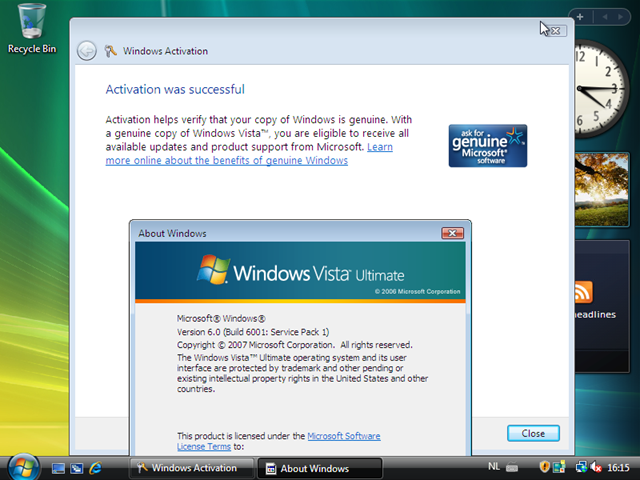
This time, the installation used a fresh ISO with Vista SP1 integrated. It is time to reinstall all my physical machines. I tried installing the SP1 update before, but never succeeded, and the Vista installation on my notebook is showing unusual symptoms.
· Improves BitLocker Drive Encryption by offering an additional multi-factor authentication method that combines a key protected by the TPM (Trusted Platform Module) with a Startup Key stored on a USB storage device and a user-generated Personal Identification Number (PIN).
· Enhances the BitLocker encryption support to volumes other than bootable volumes in Windows Vista (for Enterprise and Ultimate SKUs).
· Adds support for SSTP (Secure Sockets Tunnel Protocol), a remote access VPN tunneling protocol that will be part of Microsoft’s RRAS (Routing and Remote Access Service) platform. SSTP helps provide full-network VPN remote access connections over SSL, removing some of the VPN connectivity challenges that other VPN tunnels face traversing NAT, web proxies, and firewalls.
· SP1 reduces the number of UAC (User Account Control) prompts from 4 to 1 when creating or renaming a folder at a protected location.
I am ready to start using BitLocker volume encryption. With the improvements quoted above, it is time to replace my TrueCrypt files with built-in encryption. New features such as SSTP have been added, and there are more interesting things to try. For the complete list of changes, see this document or http://msdn2.microsoft.com/en-us/windowsvista/bb898842.aspx.