
Inspecting Windows NTP traffic with Wireshark
I wanted to see what NTP traffic my Windows client generated after configuring the Windows Time service to use time.windows.com. I downloaded and installed Wireshark, then captured all traffic on my physical Ethernet interface for more than 12 hours. The resulting capture file was 200 MB.
Wireshark is the newest version of the number-one open-source network protocol analyzer. It was previously known as Ethereal, which is still available for download.
Wireshark is the world's foremost network protocol analyzer, and is the de facto (and often de jure) standard across many industries and educational institutions. Wireshark development thrives thanks to the contributions of networking experts across the globe. It is the continuation of a project that started in 1998.
The new display filter uses two strings. To avoid going through all the frames manually, I entered my Windows machine's IP address and UDP port 123 for NTP traffic.
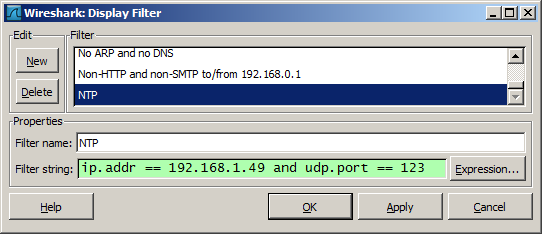
I saved and applied the filter. The capture ran for 12+ hours, and 34 frames matched the filter strings.
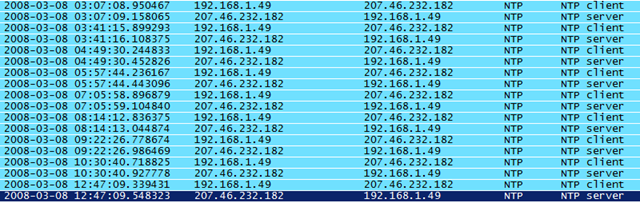
In this capture, the Windows Time service connected to the NTP server once every hour.