CentOS: Install VMware Tools
Virtualization platforms usually require guest components for host integration. I have installed a CentOS virtual machine on a VMware Server host and now want to install VMware Tools.
Install VMware Tools
Locate the VMware Tools ISO for Linux. The virtualization platform usually has an option to install "Integration tools".
I am using VMware Server 1, where the ISO is at C:\Program Files\VMware\VMware Server\linux.iso.
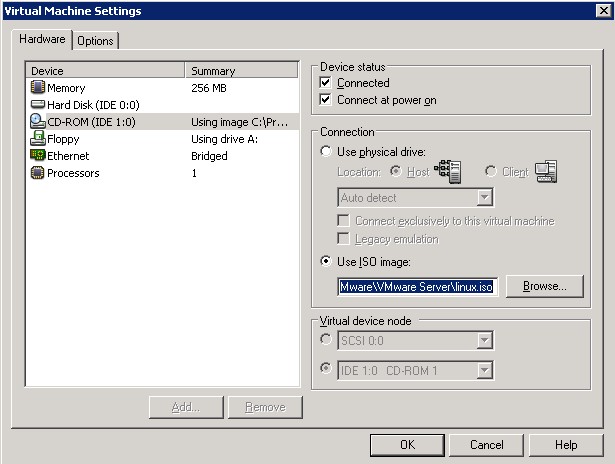
Additional installation screenshot.
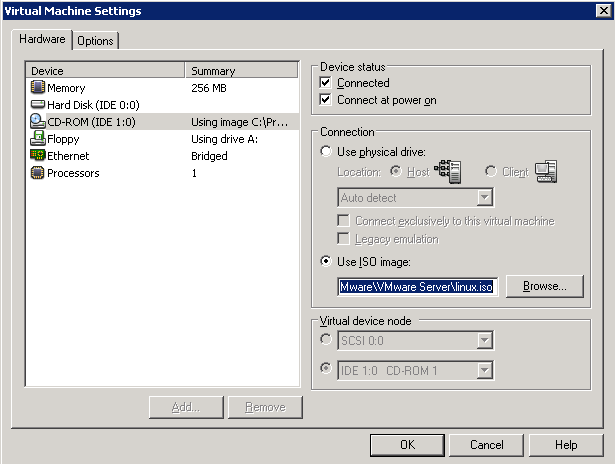
Use VMware Server Console to sign in to the CentOS virtual machine and mount the ISO in its CD-ROM drive.
| |
The mount command makes the CD-ROM available at /mnt/cdrom. Copy the RPM file to /tmp and start installation.
| |
After the package is installed, run the VMware Tools Perl configuration script.
| |
References
- VMware Tools for Linux Guests
- Running the vmware-config-tools.pl script on a Linux host fails due to kernel version mismatch
Related
3 comments
Comments from the original WordPress site, kept read-only.
Thanks, worked great.
Works great!
Amazing how many other complicated and obtuse approaches people have posted on other sites.
thanks for the info, but i can not find the vmware tools file for cent os...and while making it automatically it is showing error..saying- no updates finds...!!!
please provide the path to get it download for cent os 5.5 -i386 guest.