
VMware Workstation 6.5 beta
If, like me, you are curious about the new features in VMware Workstation 6.5 beta, download and install it. Unity and support for running ESX in a VM are the two I want to explore.
Why participate in a VMware beta program?
Here are a few reasons why you should participate in VMware beta programs.
- Exposure to the next generation features helps you grow your technical skills and understand the direction of the virtualization industry.
- Ability to prove that the product will work properly in your environment and report areas where it doesn't.
- Prototype your solution during the beta program and be ready for deployment when we reach General Availability.
- Help shape today's product and tomorrow's features.
- Ability to work with VMware engineers on some programs.
- Problems encountered have a higher probability of being fixed by GA.
Join the Workstation 6.5 beta program.
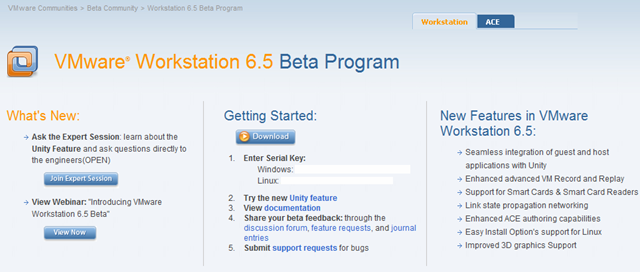
New features in VMware Workstation 6.5
- Seamless integration of guest and host applications with Unity
- Enhanced advanced VM Record and Replay
- Support for Smart Cards & Smart Card Readers
- Link state propagation networking
- Enhanced ACE authoring capabilities
- Easy Install Option's support for Linux
- Improved 3D graphics Support
- Release 91182 supports ESX 3.5 and 3i installations
I want to explore Unity and support for running ESX in a VM. I like to keep my host clean and can now have one VM for applications I use occasionally. I do not want to install Adobe Photoshop, Paintshop, Visual Studio and similar applications on the host. Unity lets me bring those applications to the host, and I will definitely use it quite often.
Since ESX 3.5 and 3i were released, I have been waiting for them to work in VMware Workstation. Thanks to Eric at NTPRo.nl for confirming that ESX is running in the latest Workstation 6.5 beta.