VMware Workstation 6.04: Unrecoverable error on Linux x64
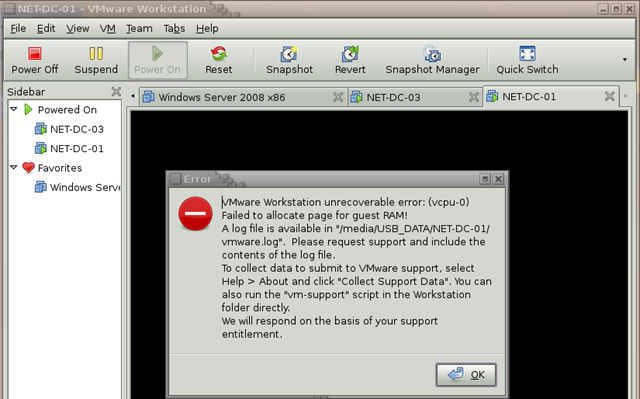
I am running Ubuntu 8.04 LTS Desktop Edition, 64-bit. After installing VMware Workstation 6.04 for Linux x64, I received this error when starting VMs stored on an NTFS USB disk:
VMware Workstation unrecoverable error: (vcpu-0)
Failed to allocate page for guest RAM!
A log file is available in "/media/USB_DATA/NET-DC-01/vmware.log". Please request support and include the contents of the log file.
To collect data to submit to VMware support, select Help > About and click "Collect Support Data". You can also run the "vm-support" script in the Workstation folder directly.
We will respond on the basis of your support entitlement.
Click OK and locate the VM’s vmx file. Open it in nano or another text editor and add:
| |
Save the file and try starting the VM again.
This setting avoids using a named file and is for VMs on USB disks or other slow disks.
- Windows: useNamedFile= "FALSE" causes memory to be backed by the host’s swap space.
- Linux: useNamedFile= "FALSE" causes a hidden file to be created in a temporary directory. The file is deleted immediately when the VM is powered off.
1 comment
Comments from the original WordPress site, kept read-only.
What’s Happening i am new to this, I stumbled upon this I have found It absolutely useful and it has aided me out loads. I'm hoping to give a contribution & assist different customers like its helped me. Great job.