VMware Workstation: High-speed USB 2.0 support for a VM
I have been running Windows XP x64 for a couple of days and wanted to scan some documents with my old Canon Lide scanner, which is connected to the host by USB. Its drivers do not support Windows XP x64, so I am using a Windows XP 32-bit virtual machine.
After connecting the scanner through Removable Devices, I received this message:
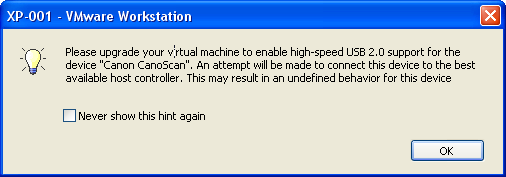
I searched online and found some useful posts. It looked as though the virtual machine had an older hardware version without USB 2.0 support. I opened the vmx file in Notepad++ and checked virtualHW.version, which was set to 4. The VM had VMware Workstation 4 hardware compatibility selected.
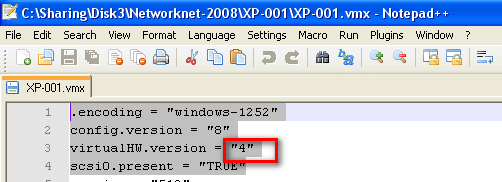
Change the hardware version
There are two ways to change the version:
- Shut down the virtual machine. Click VM in the menu, choose "Upgrade or Change version", and follow the wizard to select VMware Workstation 6/6.5.
- Open the vmx file in Notepad and change the version setting to:Then add:
Code1 line 1virtualHW.version = "6.0"Code1 line 1ehci.present = "TRUE"
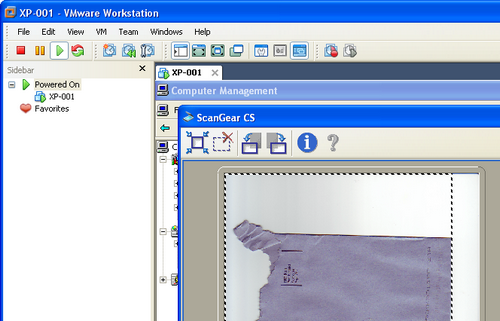
The scanner is now working. This is a practical example of how virtualization helps me get things done.
7 comments
Comments from the original WordPress site, kept read-only.
Nice post. Exactly what I needed. Many thanks!!
Thank you...i really need this
Thanks! I wish vmware displayed this info when it said that it couldn't connect to USB 2.0 devices.
I was wondering why my VM 6.5.3 could not connect to USB 2.0 devices. Thanks you.
Thanks for this handy information.I was an old user of workstation but I didn't knew this.
Old, but first on Google!
For VMWare Player Users:
Change the "virtualHW.version" to "6" instead of "6.0"! 6.0 produces a parse error!
Für alle die das Problem mit dem VMWare Player haben:
Im VMX-File die "virtualHW.version" muss man auf "6" anstatt "6.0" setzen, dann kann man in den Einstellungen USB2.0 auswählen!
Just set the following then add the USB controller via the GUI.
virtualHW.version = “6″
As noted by another comment. "6.0" does not work with current VMWare Player (6.0.1).