Tools: Run BGInfo silently without the license prompt
BGInfo is useful when managing dozens of physical and virtual Windows servers. I also deployed it to all client computers at work, where it is valuable for support staff.
Since Microsoft acquired Sysinternals, BGInfo shows a "License Agreement" window. This is manageable on servers, but we do not want every client user to encounter the prompt.
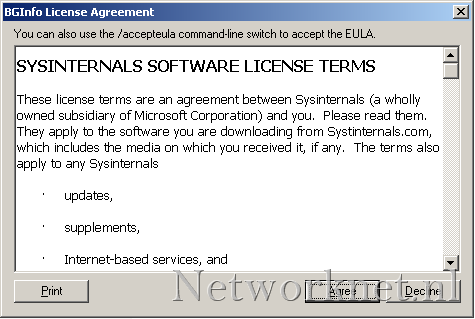
There are two ways to handle this:
Import the registry setting
Create a REG file with the following contents and import it:
| |
Use the command line
I prefer the following command in a CMD script stored in the All Users\Start Menu\Programs\Startup folder:
| |
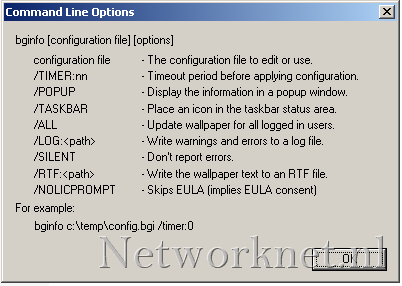
The /NOLICPROMPT option skips the license window. Imagine having more than 1,000 users click through that prompt.
2 comments
Comments from the original WordPress site, kept read-only.
Hi, try with
C:\Bginfo.exe /accepteula /i
also
bginfo64.exe /TIMER:0