Ubuntu JeOS: Restore networking after cloning a VM
 I am creating virtual appliances for ESX Server using Ubuntu JeOS 8.04. It is always good to test what you have built.
After finishing one JeOS virtual machine on ESX Server, I cloned it. The cloned appliance was booted, and I logged on. A Bash script ran to change the default passwords and reinstall the SSH server to generate SSH keys. When apt-get tried to install the SSH server, I received an error and the script stopped. I ran ifconfig and found no Ethernet interface on Eth0 or Eth1.
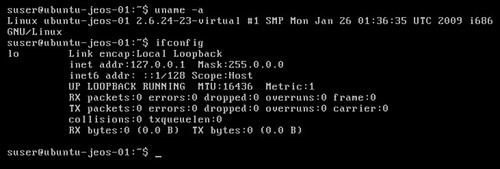
The OS did not activate eth0 because the VM had been cloned and its network interface had been assigned a new MAC address. Only eth0 was enabled and configured for DHCP in the network scripts. The file /etc/udev/rules.d/70-persistent-net.rules showed two network interfaces with different MAC addresses.
To fix this problem run the following command:
| |
Rebooting solved the problem. This issue is not yet covered in the JeOS documentation. I hope this post helps. Credit goes to "oneloveamaru", who pointed me in the right direction.
1 comment
Comments from the original WordPress site, kept read-only.
Thanks much for this, this one killed me when I tried to clone a jeos install.