
Mac OS X: Connect Google Calendar to iCal with CalDAV
 Last night, I added Google Calendar to iCal on my MacBook Pro. The setup was straightforward, so I wanted to share the steps.
I have used Google services beyond search for many years and still enjoy exploring what they can do.
Calendaring Extensions to WebDAV, or CalDAV, is an Internet standard allowing a client to access scheduling information on a remote server. If your application supports CalDAV, you can connect it to Google Calendar.
Add Google Calendar to iCal
The following steps show how to set up an online calendar in iCal in less than five minutes.
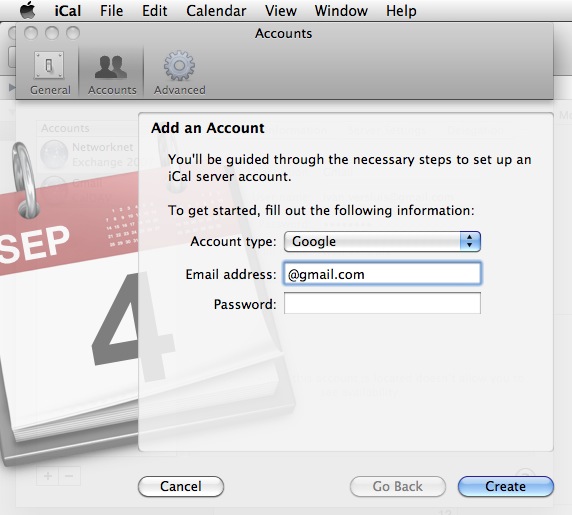
- Open Apple iCal, go to Preferences and then the Accounts tab.
- Click on the + button to add an account.
- In the box that pops up, enter a description for the account and your Google Account username and password.
- You are done!
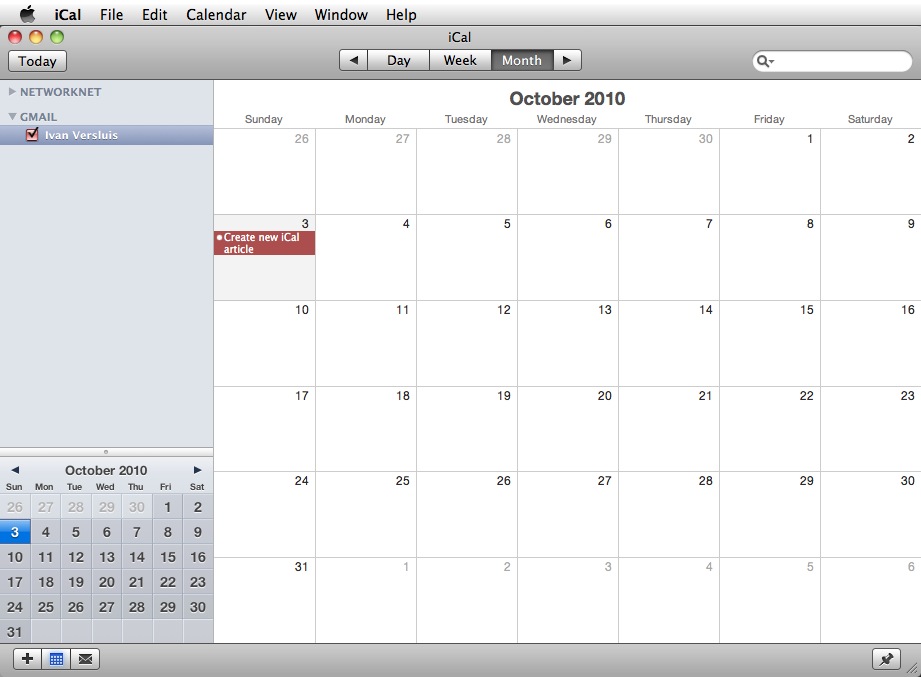
For me, the benefit is simple: my calendar is available wherever I am, on whichever device I use. You can explore more features at Google Calendar.